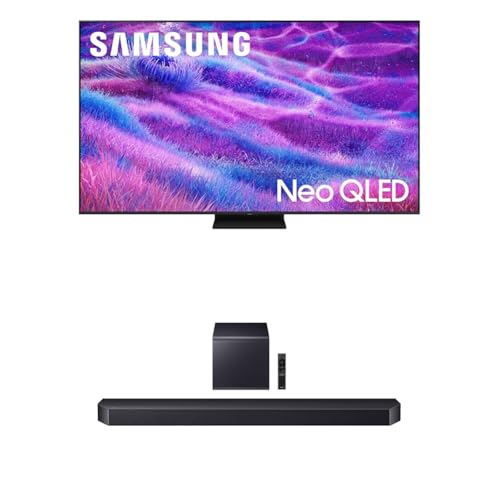
As Amazon Associates, we earn from qualifying purchases. This means we may receive a small commission at no extra cost to you if you click through and make a purchase.
As an Amazon Associate we earn from qualifying purchases. Links on this page are affiliate links.
TV Screen Size Specifications Explained
Screen size indicates the physical dimensions of a display panel. When you shop for displays, you see TV size explained as a single diagonal number measured from one corner of the viewable screen to the opposite corner. This measurement covers only the active panel area and excludes the outer bezel, frame, cabinet, and stand.
Retail listings label screen dimensions in inches across several standardized brackets. Compact selections include 43-inch and 50-inch formats for smaller bedrooms and offices. Mainstream home entertainment centers around 55-inch and 65-inch models. Larger living areas and dedicated theater rooms use 75-inch, 85-inch, 98-inch, and 100-inch panels. Because screen area scales quadratically, moving between sizes yields substantial differences in overall viewing surface.
Your seating distance directly influences which screen dimensions function best in your home. A larger display occupies a wider portion of your visual field, producing an immersive experience for movies, gaming, and sports broadcasts. If you sit too close to a large display, you must move your eyes or head to track action across the screen. If you sit too far from a small panel, you lose subtle picture details.
Room layout and furniture width also dictate the correct choice. You must verify that your entertainment console or wall space can support the width and height of the unit. Panels measuring 98-inch or 100-inch diagonally require broad walls and heavy-duty mounting hardware. Selecting the right size ensures comfortable sightlines and balanced ergonomics for your daily viewing.
Comparing Common Television Screen Sizes
Size: 65-Inch
A 65-inch screen provides substantial visual coverage for mid-sized living rooms. In practice, a diagonal measurement of this scale yields a display width approaching five feet. For example, the Samsung 65-Inch Mini LED 4K TV measures 56.9 inches wide and 34.7 inches high while weighing 31.7 pounds. This format suits viewers who focus on sports and movies in moderate to large areas. The trade-off is the physical footprint. You must provide ample wall space or a wide media stand to support the chassis, which can overwhelm smaller rooms or compact entertainment centers.
Size: 55-Inch
A 55-inch screen delivers a balanced viewing area that fits medium-sized rooms without dominating the layout. In practice, this diagonal dimension translates to a moderate physical frame. For example, the INSIGNIA 55-Inch F50 Series 4K LED Fire TV measures 48.4 inches wide, 30.1 inches high, and weighs 28.7 pounds. This size suits everyday viewers who want 4K UHD streaming in standard living spaces or larger bedrooms. The trade-off is reduced visual immersion compared to larger alternatives. You gain flexibility in room arrangement, but you lose the theater-scale picture impact found on 65-inch and larger panels.
Size: 50-Inch
A 50-inch display serves spaces where larger screens are impractical. In practice, this diagonal measurement keeps the entire unit under four feet in width. For instance, the Amazon Ember 50-Inch 4-Series 4K TV has a length of 43.7 inches, a height of 28.6 inches, and a weight of 18.7 pounds. This size suits viewers looking for 4K UHD resolution and cloud gaming in mid-sized or constrained rooms. The trade-off is a narrower field of view. You sacrifice the immersive impact of bigger formats, meaning fine detail is harder to distinguish across open spaces.
Size: 43-Inch
A 43-inch screen represents a compact format designed for tight living spaces. In practice, this diagonal length creates a modest unit that fits small shelving or surfaces. For example, the Panasonic 43-Inch W80 QLED 4K Fire TV measures 37.7 inches wide, 24.3 inches high, and weighs 12.4 pounds. This size suits viewers outfitting bedrooms or offices who still need full 4K UHD resolution and HDR support. The trade-off is a much smaller visual area. You will not get the cinematic scale of larger sets, and viewing the screen with several people can feel cramped.
Size: 98-Inch
A 98-inch screen creates a theater-like presentation suited for large media rooms. In practice, this diagonal spans more than seven feet across. For example, the TCL 98-Inch 144Hz QLED Fire TV measures 85.8 inches wide, 50.6 inches high, and weighs 104 pounds. This scale suits viewers and gamers seeking maximum visual field and fast 144Hz motion clarity. The significant trade-off involves physical handling and room space. You need a dedicated, open wall and heavy-duty mounting hardware to manage the triple-digit poundage safely, making transport and installation far more complex than standard panels.
Size: 100-Inch
A 100-inch screen delivers an ultra-large visual display intended for dedicated home theaters. In practice, this diagonal coverage spans over seven feet wide. For example, the Hisense 100-Inch 144Hz QLED TV measures 87.8 inches wide, 50.6 inches high, and weighs 120 pounds. This size suits viewers with dedicated entertainment spaces who prioritize high-refresh-rate gaming and maximum picture dimensions. The clear trade-off is spatial demand and weight. You need substantial wall clearance and strong mounting structures to support 120 pounds, which rules out smaller living spaces and standard lightweight furniture.
Screen Size: Is It Worth It
Who needs it
You need to prioritize screen size if you sit eight feet or farther from your display. In large living rooms and dedicated home theaters, displays measuring 75 inches to 100 inches fill your field of view and keep fine details legible from across the room. You also benefit from larger screens if you host group viewings. A larger display area gives viewers seated off-center a clear sightline without crowding around a single focal point. For distances beyond ten feet, sizes like 85-inch or 98-inch prevent subtitles and interface text from appearing too small. Matching diagonal width to your seating distance ensures you resolve 4K resolution effectively.
Who can skip it
You can skip oversized panels if your seating distance is under six feet or if your physical space is restricted. Compact rooms, bedrooms, and offices work well with 43-inch or 50-inch options that fit easily on standard furniture without dominating the layout. If your viewing distance is short, a massive screen forces unnecessary eye movement across the panel. In these setups, prioritize core picture performance specifications instead of physical size. Focus on high refresh rates, local dimming zones, panel contrast, and peak brightness to ensure sharp motion and accurate color rendering within your available space.
TV Size and Spec Glossary
Display Resolution
This metric counts the distinct pixels across your screen surface. Common formats include 4K UHD at 3840 by 2160 pixels, which preserves fine detail on larger panels.
Pixel Density
This value measures pixels per inch across the display area. Larger displays spread identical resolutions over greater surface areas, resulting in lower density unless you sit further away.
Aspect Ratio
This ratio expresses the proportional relationship between display width and height. Most modern televisions use a 16:9 widescreen format to fit standard broadcast and streaming media properly.
Refresh Rate
This spec indicates how many times per second the image updates. Standard panels refresh at 60Hz, while gaming displays reach 120Hz or 144Hz for smoother motion.
High Dynamic Range
This video technology expands luminance and color boundaries beyond standard signals. Common formats like HDR10 and Dolby Vision deliver brighter highlights and deeper shadow detail on compatible screens.
Viewing Angle
This specification marks the maximum off-center position where color and contrast remain accurate. OLED panels provide broad angles near 70 degrees, whereas standard VA panels narrow significantly.
| # | Product | Best for | Price |
|---|---|---|---|
| 1 | Samsung 65-Inch Mini LED 4K TV | sports and movies in mid-sized living rooms | |
| 2 | INSIGNIA 55-Inch F50 Series 4K LED Fire TV | medium-sized rooms needing integrated Fire TV streaming | |
| 3 | Amazon Ember 50-Inch 4-Series 4K TV | mid-sized rooms and console-free cloud gaming | |
| 4 | Panasonic 43-Inch W80 QLED 4K Fire TV | compact rooms needing multi-format HDR support | |
| 5 | TCL 98-Inch 144Hz QLED Fire TV | large media rooms and high-refresh-rate gaming | |
| 6 | Hisense 100-Inch 144Hz QLED TV | dedicated large home theaters and gaming setups |

Samsung 65-Inch Mini LED 4K TV
Best for: sports and movies in mid-sized living rooms
- Size
- 65-Inch
- Screen Size
- 65 Inch
- Resolution
- 4K
- Display Technology
- Mini LED
- Refresh Rate
- 120Hz
- Dimensions
- 8.7 × 56.9 × 34.7 inches
This 65-inch 4K television uses Mini LED backlighting to enhance contrast across a screen measuring 56.9 inches wide. You get a 120Hz refresh rate for fast motion, along with local dimming zones that control bright highlights and deep black levels. It suits you if you need a mid-to-large display for sports and gaming in standard living rooms.
- Mini LED backlighting with Supreme Mini LED Dimming for high contrast
- 120Hz refresh rate via Motion Xcelerator and DLG for fast action
- Pure Color Spectrum supporting one billion colors
- Dedicated Soccer Mode optimizing motion clarity and field color
- Screen size provides less surface area than the 75-inch to 100-inch models
- Refresh rate uses DLG processing rather than a native 144Hz panel
- You want a 65-inch screen that fits medium-sized viewing distances
- You watch sports and need a 120Hz refresh rate to reduce motion blur
- You want Mini LED backlighting for deeper blacks and bright highlights
- You want an ultra-large screen in the 75-inch to 100-inch range
- You need a native 144Hz panel for PC gaming
Verdict: Samsung M70H 65-Inch 4K Mini LED TV fits viewers who want a balanced 65-inch display with 120Hz motion clarity and Mini LED contrast for sports and everyday living-room viewing.

INSIGNIA 55-Inch F50 Series 4K LED Fire TV
Best for: medium-sized rooms needing integrated Fire TV streaming
- Size
- 55-Inch
- Screen Size
- 55-inch
- Resolution
- 4K UHD
- Display Technology
- LED
- HDR Format
- HDR10
- Smart Platform
- Fire TV
This 55-inch Insignia television delivers 4K resolution across a display measuring 48.4 inches wide. Built with standard LED backlighting and HDR10 support, it gives you a mid-size screen that fits typical living rooms without dominating the space. Integrated Fire TV streaming and DTS Virtual-X audio suit viewers wanting an everyday display for mid-sized rooms.
- 55-inch 4K UHD screen with HDR10 support
- Built-in Fire TV streaming with Alexa Voice Remote
- HDMI eARC port for uncompressed audio passthrough
- Includes headphone jack and composite AV inputs
- Uses standard LED backlighting rather than QLED or Mini LED
- Provides three HDMI ports instead of four
- You want a balanced 55-inch screen for a standard living room.
- You rely on the Fire TV operating system for streaming apps and Alexa voice commands.
- You connect older hardware via composite AV or wired 3.5mm headphones.
- You want advanced panel tech such as QLED or Mini LED.
- You need more than three HDMI ports for gaming consoles and players.
Verdict: Insignia 55-Inch F50 Series 4K Fire TV gives everyday viewers a mid-sized 4K screen with integrated smart streaming and versatile legacy audio-video jacks.

Amazon Ember 50-Inch 4-Series 4K TV
Best for: mid-sized rooms and console-free cloud gaming
- Size
- 50-Inch
- Screen Size
- 50-inch
- Resolution
- 4K Ultra HD
- HDR Format
- HDR10+
- Smart Platform
- Fire TV
- Audio Format
- Dolby Audio
This Amazon Ember television gives you a 50-inch 4K Ultra HD screen suited for medium spaces where larger panels overpower the room. It features HDR10+ for enhanced contrast, a quad-core processor, and Wi-Fi 6 for smooth streaming. At 43.7 inches wide, this display fits compact media consoles while delivering clear Dolby Audio for everyday entertainment.
- 4K Ultra HD resolution with HDR10+ support
- Wi-Fi 6 connectivity and quad-core processor
- Built-in Omnisense presence sensors
- Direct cloud gaming with Amazon Luna and Xbox Game Pass
- No Dolby Vision HDR support listed
- 50-inch screen provides less viewing area than standard 55-inch models
- You need a mid-sized 50-inch display for a bedroom or moderate living area.
- You want cloud gaming access via Xbox Game Pass and Amazon Luna without a console.
- You have a Wi-Fi 6 home network setup.
- You prefer a home-theater setup requiring a 55-inch or larger display.
- You require Dolby Vision format support for HDR content.
Verdict: Amazon Ember 50-Inch 4K Fire TV suits viewers who want a moderate screen size with Wi-Fi 6 and direct cloud gaming. It fits tight rooms where larger screens are impractical.

Panasonic 43-Inch W80 QLED 4K Fire TV
Best for: compact rooms needing multi-format HDR support
- Size
- 43-Inch
- Screen Size
- 43-Inch
- Resolution
- 4K UHD
- Display Technology
- QLED
- HDR Format
- HDR10+, Dolby Vision
- Smart Platform
- Fire TV
This Panasonic TV delivers a 43-inch 4K UHD QLED panel in a compact frame measuring 37.7 inches wide and weighing 12.4 pounds. It includes Dolby Vision, HDR10+, and built-in Fire TV streaming with Alexa voice control. You get Glare Free Pro screen treatment for bright spaces. It suits you if you need high-resolution playback in smaller bedrooms or offices.
- Supports both Dolby Vision and HDR10+ dynamic metadata
- Compact 37.7-inch width fits tight spaces
- Glare Free Pro treatment reduces surface reflections
- Integrated Dolby Atmos spatial audio processing
- Smallest screen size on this list at 43 inches
- Stand setup requires 6.9 inches of surface depth
- You need a compact 43-inch display to fit a bedroom, kitchen, or small apartment.
- You watch HDR content mastered in either Dolby Vision or HDR10+ formats.
- You view television in bright rooms with unavoidable ambient reflections.
- You want an immersive home-theater display larger than 50 inches.
- You view your television from across a large living room.
Verdict: Panasonic 43-Inch W80 QLED 4K Fire TV provides full 4K resolution, dual HDR standard support, and Fire TV integration for viewers working with small-room layouts.
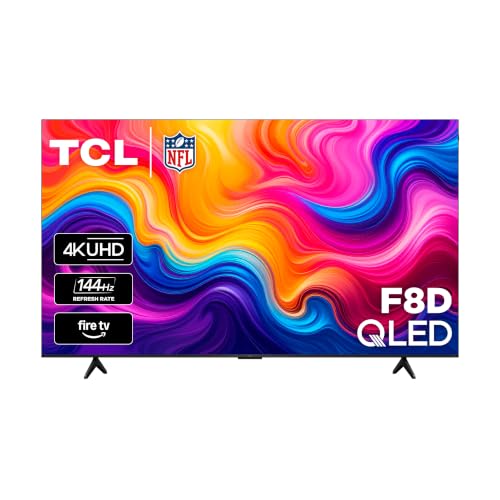
TCL 98-Inch 144Hz QLED Fire TV
Best for: large media rooms and high-refresh-rate gaming
- Size
- 98-Inch
- Screen Size
- 98 Inch
- Resolution
- 4K UHD
- Display Technology
- QLED
- Refresh Rate
- 144Hz
- HDR Format
- Dolby Vision, HDR10+, HDR10, HLG
This 98-inch 4K QLED television gives you an expansive screen measuring 85.8 inches wide and 50.6 inches high. It features a native 144Hz refresh rate, direct-lit LED backlighting, and built-in Fire TV streaming. At 104 pounds, it suits dedicated media spaces or spacious living rooms where you sit far enough back to take advantage of large-format gaming and cinema viewing.
- Native 144Hz refresh rate with VRR and ALLM support
- Direct LED backlighting with Dolby Vision and HDR10+ support
- Four HDMI 2.1 ports with two supporting 4K at 144Hz
- Built-in 2x15W plus 15W sound system with Dolby Atmos
- Heavy 104-pound build requires extensive wall support or wide furniture
- Only two of the four HDMI 2.1 inputs support 4K at 144Hz
- You have at least 86 inches of horizontal space and sturdy mounting for a 104-pound display
- You want high-frame-rate 144Hz gaming on a 98-inch screen
- You use Fire TV and want built-in Alexa voice navigation
- You have a small room where an 85.8-inch wide frame causes cramped viewing
- You need more than two HDMI ports that support 4K at 144Hz at once
Verdict: TCL 98-Inch 144Hz QLED 4K Fire TV delivers massive screen area and fast 144Hz motion for buyers with large rooms who prioritize high-frame-rate console or PC gaming.

Hisense 100-Inch 144Hz QLED TV
Best for: dedicated large home theaters and gaming setups
- Size
- 100-Inch
- Screen Size
- 100 Inch
- Resolution
- 4K UHD
- Display Technology
- QLED
- Refresh Rate
- 144Hz
- HDR Format
- Dolby Vision IQ, HDR 10+ Adaptive, HLG
This 100-inch QLED television brings an expansive 4K display to large entertainment spaces. It measures 87.8 inches wide and features a native 144Hz refresh rate paired with AMD FreeSync Premium for fast motion. Built-in Fire TV provides streaming platforms, while Dolby Vision and Dolby Atmos handle picture and sound formats. It suits you if you want wall-filling scale for gaming and sports.
- Massive 100-inch 4K QLED panel for large viewing distances
- Native 144Hz refresh rate with AMD FreeSync Premium variable refresh rate
- Supports Dolby Vision, HDR10+ Adaptive, and Dolby Atmos audio
- Built-in Fire TV platform with Alexa voice controls
- Substantial 87.8-inch width requires significant horizontal wall space
- Heavy 120-pound weight demands heavy-duty mounting hardware or furniture
- Cabinet depth of 3.7 inches is thicker than many smaller screens
- You have at least 88 inches of horizontal clearance in your viewing room.
- You play fast-action video games that benefit from a 144Hz variable refresh rate.
- You want Fire TV streaming built directly into a very large display.
- You need a lightweight display that one person can easily mount or move.
- You have a compact living room where a 100-inch screen overwhelms the space.
Verdict: Hisense 100-Inch E6 Series 144Hz QLED TV fits buyers with spacious media rooms who want maximum screen area and smooth 144Hz gaming performance without external streaming hardware.
Specifications side by side
| Spec | Samsung 65-Inch Mini LED 4K TV | INSIGNIA 55-Inch F50 Series 4K LED Fire TV | Amazon Ember 50-Inch 4-Series 4K TV | Panasonic 43-Inch W80 QLED 4K Fire TV | TCL 98-Inch 144Hz QLED Fire TV | Hisense 100-Inch 144Hz QLED TV |
|---|---|---|---|---|---|---|
| Screen Size | 65 Inch | 55-inch | 50-inch | 43-Inch | 98 Inch | 100 Inch |
| Resolution | 4K | 4K UHD | 4K Ultra HD | 4K UHD | 4K UHD | 4K UHD |
| Display Technology | Mini LED | LED | – | QLED | QLED | QLED |
| Refresh Rate | 120Hz | – | – | – | 144Hz | 144Hz |
| HDR Format | – | HDR10 | HDR10+ | HDR10+, Dolby Vision | Dolby Vision, HDR10+, HDR10, HLG | Dolby Vision IQ, HDR 10+ Adaptive, HLG |
| Smart Platform | – | Fire TV | Fire TV | Fire TV | Fire TV | Fire TV |
| Audio Format | – | DTS Virtual-X | Dolby Audio | Dolby Atmos | Dolby Atmos, DTS Virtual:X | Dolby Atmos |
| Intended Use | – | – | – | – | Gaming, Sports | – |
| Size | 65-Inch | 55-Inch | 50-Inch | 43-Inch | 98-Inch | 100-Inch |
| Dimensions | 8.7 × 56.9 × 34.7 inches | 10.4 × 48.4 × 30.1 inches | 43.7 × 11.3 × 28.6 inches | 6.9 × 37.7 × 24.3 inches | 16.5 × 85.8 × 50.6 inches | 3.7 × 87.8 × 50.6 inches |
| Weight | 31.7 pounds | 28.7 pounds | 18.7 pounds | 12.4 pounds | 104 pounds | 120 pounds |
| Color | Titan Black | Black | BLACK | – | – | Black |
| Model | UN65M70HAFXZA | NS-55F501NA26 | 4K50N402 | TV-43W80CPS | 98F8D | 100E6QF |
Frequently asked questions
How do you check if a TV fits your media console?
You must check the physical width and depth rather than the diagonal screen size. The diagonal number excludes bezels and feet. For instance, the INSIGNIA 55-Inch F50 Series has a 55-inch diagonal, but measures 48.4 inches wide and 10.4 inches deep with its stand.
How much does TV weight increase as screen size gets larger?
Weight scales up dramatically with panel dimensions. If you choose a compact display like the Panasonic 43-Inch W80, it weighs 12.4 pounds. If you pick the Hisense 100-Inch E6 Series, the unit weighs 120 pounds. You need heavy-duty wall mounts or reinforced furniture for extra-large sizes.
When should you choose a 43-inch or 50-inch TV?
You should select a 43-inch or 50-inch display for tight room layouts where larger panels block paths. The Panasonic 43-Inch W80 measures 37.7 inches wide, and the Amazon Ember 50-Inch measures 43.7 inches long. These compact sizes give you 4K resolution without taking over smaller bedrooms.
Does TV screen size determine the refresh rate?
Screen size does not limit refresh rates, but faster panels appear often in larger formats. You find a 120Hz refresh rate on the Samsung 65-Inch Mini LED TV, while the TCL 98-Inch model delivers 144Hz. Both screen sizes provide fluid frame delivery for fast gaming and live sports.
How much wall space do you need for an extra-large TV?
You need more than seven feet of horizontal wall clearance for extra-large displays. The TCL 98-Inch measures 85.8 inches wide and 50.6 inches high. The Hisense 100-Inch requires 87.8 inches of width. You must account for these broad dimensions so the frame fits your room walls.
Do smaller screen sizes sacrifice smart streaming features?
You get identical streaming platforms regardless of panel size. Compact options like the Panasonic 43-Inch W80 include the Fire TV platform just like massive sets such as the TCL 98-Inch. You access apps directly on either size without needing separate media sticks or external set-top boxes.
See also
Prices and specifications above are read from the product page and can change without notice. Scores are out of 10, based on listed specifications and buyer feedback; nothing on this page comes from handling the product.