
As Amazon Associates, we earn from qualifying purchases. This means we may receive a small commission at no extra cost to you if you click through and make a purchase.
As an Amazon Associate we earn from qualifying purchases. Links on this page are affiliate links.
TV and Projector Audio Formats Explained
An audio format is the digital standard used to encode, compress, and deliver sound data from media to your display. With audio format explained on a TV or projector spec sheet, you can see which soundtracks the internal hardware processes directly without playback errors or missing channels.
Manufacturers label these specifications under audio format, sound mode, or audio decoding. You will usually see three primary options on spec sheets: Dolby Audio, Dolby Atmos, and DTS. Dolby Audio represents standard multichannel audio, including conventional stereo and 5.1 surround sound tracks. Dolby Atmos is an advanced object-based format that places individual sound elements in a three-dimensional field, adding height channels for overhead audio effects. DTS is a separate multichannel format common on physical Blu-ray discs and certain gaming consoles.
Understanding these audio formats helps you match your display to your overall home audio system. If you connect your TV to an external soundbar or an AV receiver, passthrough support ensures the original digital bitstream transfers intact over HDMI eARC or optical audio connections.
Codec compatibility for 2026 matters because unsupported formats directly compromise your listening experience. Most major streaming services rely heavily on Dolby Audio and Dolby Atmos, while physical disc media often uses DTS audio. If your hardware lacks the matching decoder, it downmixes the multichannel audio to basic stereo or produces complete silence. Selecting the right format support guarantees clear dialogue separation and accurate spatial placement.
Comparing Audio Formats for Your TV
Audio Format: Dolby Atmos
Dolby Atmos provides object-based surround sound by placing individual audio elements into a three-dimensional field. Sound moves above and around your seating area rather than staying locked to standard left or right channels. This setup suits movie viewers and gamers who want spatial audio tracking on compatible streaming tracks. The Hisense 75-Inch U6 Series 144Hz Mini-LED TV decodes this format natively. The trade-off centers on hardware limits. Built-in TV speakers provide limited spatial separation compared to a dedicated multi-speaker system, meaning full immersion requires external audio hardware.
Audio Format: Dolby Audio
Dolby Audio processes traditional channel-based sound formats, including stereo and 5.1 surround mixes. It focuses on dialogue clarity, volume leveling, and standard surround separation across conventional speaker layouts. This format suits everyday viewers streaming regular broadcast programming, sitcoms, and movies in small or medium rooms. The Amazon Ember 55-Inch 4-Series 4K Fire TV uses this standard processing. The primary trade-off is the absence of object-based spatial audio. You do not get overhead effects or precise three-dimensional coordinate placement, limiting the surround envelope compared to advanced formats.
Audio Format: DTS
DTS decodes Digital Theater Systems audio streams and often includes processing like DTS Virtual:X to widen the soundstage. It extracts multi-channel audio data to simulate surround sound and height cues directly from standard TV speakers. This format suits viewers who watch physical media like Blu-ray discs or want enhanced virtualization without external rear speakers. The Toshiba 55-Inch G700 Series 165Hz QLED TV features DTS decoding. The trade-off involves streaming platform adoption. Most major streaming services encode primarily in Dolby formats, so DTS tracks appear less frequently on native smart TV apps.
Matching Audio Formats to Your Gear
Who needs it
You need comprehensive audio format support if you route sound through a dedicated soundbar, AV receiver, or surround-sound speaker system. Media discs, physical media players, and select streaming platforms encode audio in Dolby Atmos or DTS. When your TV or projector natively supports or passes through these specific standards, you avoid silent playback, downmixing issues, or playback errors. Buyers who connect modern gaming consoles or physical disc players directly to their display benefit from format parity. This keeps multi-channel surround tracks intact through eARC or optical outputs. If you want precise surround placement across multiple external speakers, verified format handling for Dolby Atmos, Dolby Audio, and DTS ensures complete compatibility across your media library.
Who can skip it
You can skip advanced audio format specifications if you rely entirely on the internal speakers of your TV or projector. Integrated stereo speakers cannot reproduce true multi-directional channels or separate surround elements, regardless of whether the incoming signal is Dolby Atmos or DTS. If you listen at low volumes or use basic two-channel output, premium audio decoders add little functional value. Instead, focus your spec checklist on picture quality metrics. Prioritize native display resolution, peak brightness, panel refresh rate, and contrast ratio, which directly alter your everyday viewing experience on the screen.
Audio Format Glossary
eARC
This HDMI port sends uncompressed sound from your TV to your receiver. It supports high-bitrate formats like 7.1 surround sound so you hear full audio fidelity.
Optical Audio
A fiber-optic cable connection that carries digital sound from your display to older audio equipment. It handles standard 5.1 surround formats like Dolby Digital for your external speakers.
PCM
An uncompressed digital audio format output directly by your TV. Most displays convert audio to two-channel stereo PCM, making it compatible with basic soundbars or stereo speakers you connect.
Audio Passthrough
A TV setting that sends raw digital audio directly to your sound system without processing. You use this so your receiver decodes 5.1 surround tracks without unwanted downmixing.
Audio Bitrate
The volume of audio data transferred every second, measured in kilobits per second. Higher values, such as 640 kbps, give you clearer sound detail from your speakers.
Channel Configuration
The layout of individual speakers in your sound system. A 5.1 configuration uses five main speakers and one subwoofer, giving you designated directional audio channels for movies.
| # | Product | Best for | Price |
|---|---|---|---|
| 1 | Hisense 75-Inch U6 Series 144Hz Mini-LED TV | Dolby Atmos playback and fast-action gaming | |
| 2 | Amazon Ember 55-Inch 4-Series 4K Fire TV | everyday Dolby Audio streaming in medium rooms | |
| 3 | Toshiba 55-Inch G700 Series 165Hz QLED TV | DTS sound with high-refresh playback | |
| 4 | Panasonic 85-Inch W80 Series 4K QLED TV | large-room Dolby Atmos streaming and gaming | |
| 5 | Amazon Ember 50-Inch 4K QLED Fire TV | compact rooms needing standard Dolby Audio streaming | |
| 6 | Hisense 65-Inch QLED 4K Roku TV | Viewers prioritizing DTS audio and Roku streaming |

Hisense 75-Inch U6 Series 144Hz Mini-LED TV
Best for: Dolby Atmos playback and fast-action gaming
- Audio Format
- Dolby Atmos
- Screen Size
- 75"
- Resolution
- 4K UHD
- Display Technology
- Mini-LED, QLED
- Refresh Rate
- 144Hz
- HDR Format
- Dolby Vision IQ, HDR10+, HDR10, HLG
This 75-inch 4K Mini-LED TV integrates native Dolby Atmos audio processing to drive spatial sound through compatible setups. You get a native 144Hz refresh rate, up to 1,000 nits peak brightness, and 600 local dimming zones. It suits you if you want immersive movie audio paired with smooth high-frame-rate gaming on Fire TV.
- Dolby Atmos audio format decoding
- Native 144Hz refresh rate with AMD FreeSync Premium
- Mini-LED panel with up to 1,000 nits peak brightness and 600 local dimming zones
- Broad HDR support including Dolby Vision IQ, HDR10+, HDR10, and HLG
- Chassis thickness of 3 inches creates a deeper profile on wall mounts
- Weight of 63.9 pounds requires a reinforced mount or wide furniture
- You want Dolby Atmos spatial audio processing for movies and streaming.
- You play games that benefit from a native 144Hz variable refresh rate.
- You need 1,000 nits peak brightness to handle ambient room light.
- You need an ultra-slim screen that sits flush without 3 inches of cabinet depth.
- You want a lighter television that weighs less than 63.9 pounds.
Verdict: Hisense 75-Inch U6 Series Mini-LED TV delivers Dolby Atmos audio decoding alongside a fast 144Hz panel. It suits movie watchers and gamers who want high peak brightness and local dimming control.

Amazon Ember 55-Inch 4-Series 4K Fire TV
Best for: everyday Dolby Audio streaming in medium rooms
- Audio Format
- Dolby Audio
- Screen Size
- 55-inch
- Resolution
- 4K Ultra HD
- HDR Format
- HDR10+
- Smart Platform
- Fire TV
- Dimensions
- 48.3 × 11.3 × 31.3 inches
The Amazon Ember 55-Inch 4-Series 4K TV pairs a 4K Ultra HD panel with Dolby Audio sound processing and HDR10+ support. Running the Fire TV platform with Wi-Fi 6, it delivers standard multichannel audio decoding rather than spatial formats like Dolby Atmos. This setup serves you well if you want straightforward stereo or surround audio for daily streaming.
- Dolby Audio format support
- 4K Ultra HD resolution with HDR10+
- Wi-Fi 6 connectivity with quad-core processor
- Built-in Omnisense presence sensors
- Supports standard Dolby Audio without Dolby Atmos spatial sound
- DTS audio format is not supported
- Available display sizes top out at 55 inches
- You need reliable Dolby Audio decoding for standard TV speakers or soundbars.
- You stream content over Wi-Fi 6 on the Fire TV platform.
- You want 4K playback with HDR10+ dynamic contrast.
- You require Dolby Atmos or DTS audio tracks for spatial surround systems.
- You want a screen size larger than 55 inches.
Verdict: Amazon Ember 55-Inch 4-Series 4K TV fits viewers seeking clear Dolby Audio decoding and 4K HDR10+ streaming without needing higher-end spatial audio formats.
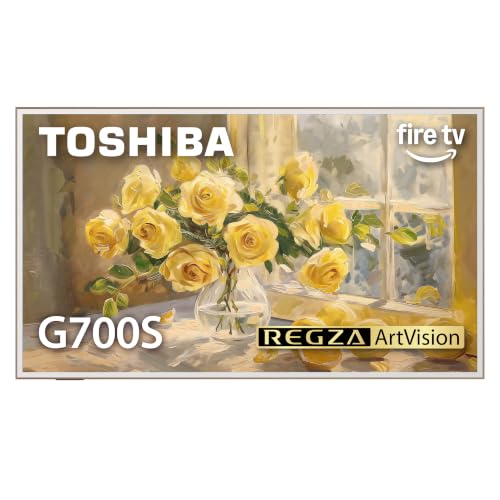
Toshiba 55-Inch G700 Series 165Hz QLED TV
Best for: DTS sound with high-refresh playback
- Audio Format
- DTS
- Screen Size
- 55-Inch
- Resolution
- 4K UHD
- Display Technology
- QLED
- Refresh Rate
- 165Hz
- Smart Platform
- Fire TV
This 55-inch 4K QLED television features DTS Virtual:X processing, delivering virtualized surround sound without extra rear speakers. A native 165Hz refresh rate handles fast motion, while the built-in Fire TV platform gives you direct access to streaming services. The anti-glare screen and slim 1.2-inch profile suit bright living rooms and wall mounting when you want high-frame-rate viewing paired with DTS sound.
- DTS Virtual:X audio processing
- Native 165Hz refresh rate
- Anti-glare 4K QLED screen
- Slim 1.2-inch depth for wall mounting
- Does not list Dolby Atmos audio decoding
- Smaller screen size than 75-inch and 85-inch alternatives
- You want DTS Virtual:X sound processing from internal TV speakers.
- You need a fast 165Hz refresh rate for high-frame-rate content.
- You plan to mount the display close to the wall using its 1.2-inch profile.
- You require native Dolby Atmos format decoding.
- You need a display larger than 55 inches for a large viewing distance.
Verdict: Toshiba 55-Inch QLED 165Hz Fire TV delivers DTS Virtual:X audio alongside a responsive 165Hz panel for buyers seeking sound virtualization and smooth motion in bright spaces.

Panasonic 85-Inch W80 Series 4K QLED TV
Best for: large-room Dolby Atmos streaming and gaming
- Audio Format
- Dolby Atmos
- Screen Size
- 85-inch
- Resolution
- 4K UHD
- Display Technology
- QLED
- Refresh Rate
- 120Hz
- HDR Format
- HDR10+, Dolby Vision
This 85-inch 4K QLED television features integrated Dolby Atmos audio processing for object-based sound. It pairs a 120Hz refresh rate with Dolby Vision and HDR10+ support, driven by the Fire TV operating system. You get spatial audio decoding straight from native streaming apps, making it suitable if you want a massive display with modern surround-format support.
- Dolby Atmos audio decoding for object-based surround tracks
- 120Hz refresh rate with VRR and ALLM gaming support
- Dual high dynamic range support with Dolby Vision and HDR10+
- Large 85-inch QLED panel with anti-reflection coating
- No DTS audio decoding listed in the specifications
- Large 74.4-inch width and 16.2-inch depth require substantial stand space
- You want Dolby Atmos spatial audio built into a giant 85-inch display.
- You plan to run gaming consoles at 120Hz with variable refresh rates.
- You stream content primarily through the Fire TV ecosystem.
- You require DTS audio format support for physical disc collections.
- You have a shallow media console that cannot clear a 16.2-inch stand depth.
Verdict: Panasonic 85-Inch QLED 4K TV serves viewers who want native Dolby Atmos spatial sound on a high-refresh-rate, large-format panel. It fits home theater spaces configured for streaming apps and current gaming hardware.
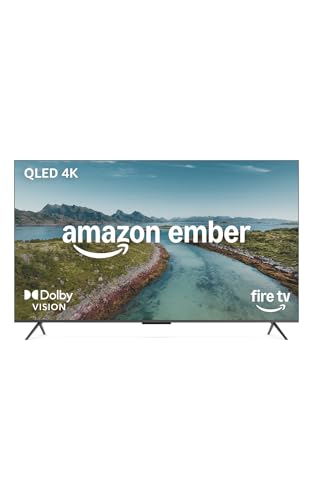
Amazon Ember 50-Inch 4K QLED Fire TV
Best for: compact rooms needing standard Dolby Audio streaming
- Audio Format
- Dolby Audio
- Screen Size
- 50"
- Resolution
- 4K Ultra HD
- Display Technology
- QLED
- HDR Format
- Dolby Vision, HDR10+
- Smart Platform
- Fire TV
This 50-inch 4K QLED smart television runs Fire TV and handles sound via Dolby Audio decoding. For picture quality, you get Dolby Vision alongside HDR10+ Adaptive. It suits you if you want a compact screen with basic surround-sound processing for standard multi-channel audio rather than advanced spatial formats, backed by hands-free voice controls and Wi-Fi 6 connectivity.
- Dolby Audio format decoding for standard multichannel audio tracks
- 4K QLED panel with Dolby Vision and HDR10+ Adaptive support
- Wi-Fi 6 connectivity paired with a quad-core processor
- Hands-free Alexa voice control with built-in Omnisense presence sensors
- Lacks Dolby Atmos support for height-based spatial audio
- No DTS audio decoding listed in the technical specifications
- Smaller 50-inch screen size compared to larger options on the list
- You need Dolby Audio decoding for standard multichannel sound setups.
- You want hands-free voice navigation and Wi-Fi 6 on a 50-inch display.
- You plan to stream cloud games via Amazon Luna or Xbox Game Pass directly.
- You want native Dolby Atmos or DTS decoding for immersive spatial audio.
- You prefer a screen size larger than 50 inches for a large viewing space.
Verdict: Amazon Ember 50" QLED 4K Fire TV suits viewers who need a compact 4K display with standard Dolby Audio processing and hands-free Fire TV control. It delivers Dolby Vision visuals without requiring object-based audio decoders like Dolby Atmos or DTS.
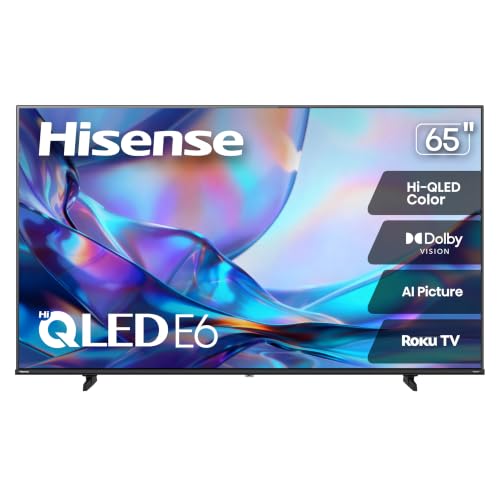
Hisense 65-Inch QLED 4K Roku TV
Best for: Viewers prioritizing DTS audio and Roku streaming
- Audio Format
- DTS
- Screen Size
- 65 Inch
- Resolution
- 4K UHD
- Display Technology
- Hi-QLED
- HDR Format
- Dolby Vision, HDR10, HLG
- Smart Platform
- Roku TV
This 65-inch 4K QLED television features DTS Virtual:X sound processing alongside Roku TV streaming. It decodes DTS audio natively and provides multi-format HDR support, including Dolby Vision, HDR10, and HLG. You get built-in virtual surround sound processing directly through the television. It suits viewers who prioritize DTS audio tracks and simple app navigation.
- Supports DTS Virtual:X audio processing
- Decodes Dolby Vision, HDR10, and HLG formats
- 65-inch 4K UHD QLED display
- Integrated Roku TV streaming platform
- Does not support Dolby Atmos audio decoding
- No local dimming zones listed in specifications
- You watch media mastered with DTS audio tracks.
- You want Dolby Vision HDR paired with DTS virtual sound.
- You prefer the Roku TV interface for streaming apps.
- You require native Dolby Atmos spatial audio processing.
- You need full-array local dimming hardware.
Verdict: Hisense 65-Inch QLED DTS Roku TV delivers dedicated DTS Virtual:X audio processing and multi-HDR playback for viewers centered on DTS sound formats.
Specifications side by side
| Spec | Hisense 75-Inch U6 Series 144Hz Mini-LED TV | Amazon Ember 55-Inch 4-Series 4K Fire TV | Toshiba 55-Inch G700 Series 165Hz QLED TV | Panasonic 85-Inch W80 Series 4K QLED TV | Amazon Ember 50-Inch 4K QLED Fire TV | Hisense 65-Inch QLED 4K Roku TV |
|---|---|---|---|---|---|---|
| Screen Size | 75" | 55-inch | 55-Inch | 85-inch | 50" | 65 Inch |
| Resolution | 4K UHD | 4K Ultra HD | 4K UHD | 4K UHD | 4K Ultra HD | 4K UHD |
| Display Technology | Mini-LED, QLED | – | QLED | QLED | QLED | Hi-QLED |
| Refresh Rate | 144Hz | – | 165Hz | 120Hz | – | – |
| HDR Format | Dolby Vision IQ, HDR10+, HDR10, HLG | HDR10+ | – | HDR10+, Dolby Vision | Dolby Vision, HDR10+ | Dolby Vision, HDR10, HLG |
| Smart Platform | Fire TV | Fire TV | Fire TV | Fire TV | Fire TV | Roku TV |
| Audio Format | Dolby Atmos | Dolby Audio | DTS Virtual:X | Dolby Atmos | Dolby Audio | DTS Virtual:X |
| Features | – | – | Anti-Glare Screen | – | – | – |
| Size | 75-Inch | 55-Inch | 55-Inch | 85-Inch | 50-Inch | 65-Inch |
| Dimensions | 3 × 65.7 × 37.8 inches | 48.3 × 11.3 × 31.3 inches | 1.2 × 48.5 × 28.3 inches | 16.2 × 74.4 × 46.3 inches | 6.21 × 1.5 × 0.67 inches | 2.8 × 57.2 × 33 inches |
| Weight | 63.9 pounds | 22 pounds | 31.7 pounds | 61.1 pounds | 1.76 ounces | 29.1 pounds |
| Color | Black | BLACK | Black | – | BLACK | Black |
| Model | 75U65QF | 4K55N402 | 55G700SU | 85W80C | K7Q3MT | 65E6SR |
Frequently asked questions
What is the main difference between Dolby Audio and Dolby Atmos?
Dolby Audio focuses on standard multi-channel surround sound, while Dolby Atmos creates spatial audio with overhead height cues. For instance, the Amazon Ember 55-Inch 4-Series uses standard Dolby Audio decoding. In contrast, the Hisense 75-Inch U6 Series includes Dolby Atmos decoding to place sounds in specific locations across the room.
Can you stream DTS audio on smart TV operating systems?
Yes, TVs running Roku TV or Fire TV can decode DTS streams if the hardware specifies support. The Hisense 65-Inch QLED TV runs Roku TV with DTS decoding support. Similarly, the Toshiba 55-Inch G700 Series uses Fire TV to process DTS audio alongside its 165Hz refresh rate panel.
Do all 4K QLED TVs support Dolby Atmos?
No, QLED panel technology only describes the visual display layer, not the audio decoder. For example, the Amazon Ember 50-Inch QLED TV decodes standard Dolby Audio rather than Dolby Atmos. If you want native Dolby Atmos playback on a QLED display, models like the Panasonic 85-Inch W80 Series include it.
Is Dolby Audio enough for everyday TV watching?
Dolby Audio provides reliable stereo and multi-channel dialogue clarity for broadcast television, sports, and standard streaming. Displays like the Amazon Ember 55-Inch 4-Series process Dolby Audio to deliver balanced dialogue without extra spatial effects. You only need advanced formats if you want dedicated directional sound effects or overhead height channels.
How do high refresh rates interact with TV audio formats during gaming?
High refresh rates and audio formats operate through separate processing pipelines on your TV. A display like the Hisense 75-Inch U6 Series combines a 144Hz refresh rate with Dolby Atmos decoding. This setup gives you smooth motion handling for fast-paced video games while simultaneously decoding surround audio tracks from supported game consoles.
Can a TV decode DTS without an external speaker system?
Yes, televisions with DTS support decode and downmix the audio track directly through their built-in speakers. The Toshiba 55-Inch G700 Series processes DTS audio internally, allowing you to hear DTS soundtracks without adding secondary audio equipment. External audio gear is optional if your TV includes native decoding for the format.
See also
Prices and specifications above are read from the product page and can change without notice. Scores are out of 10, based on listed specifications and buyer feedback; nothing on this page comes from handling the product.


